Access a complete range of simple PDF tools at no cost. Merge, split, compress, convert, rotate, unlock, and add watermarks to your PDF files quickly with just a few clicks.

Drag and drop to easily combine several PDFs into one. You can reorder pages, see files before you download them, and download them right away, all in your browser. Quick, safe, and no need to upload anything.

Get single pages or groups of pages from PDFs with accuracy. You can see the pages, choose how you want to split them, and download them right away, all in your browser. Quick, clean, and safe.

Make PDF files smaller without losing quality. Quick, safe, and browser-based, optimize large PDFs for email, the web, or storage.
Make PDFs into Word documents (DOCX) that you can change and that look great. You can get text, tables, and pictures for free and in your browser.
You can edit PowerPoint presentations (PPTX) that come from PDFs. Keep slides, text, and pictures free and online.
Take tables from PDFs and put them into Excel spreadsheets (XLSX) that you can change. Convert data while keeping the formatting—100% free and works in any browser.
Change Word files (DOC/DOCX) into high-quality PDFs. Keep fonts, layouts, and formatting—100% free and works in any browser.
Change PPT and PPTX presentations into high-quality PDFs right away. Keep slide layouts, fonts, and images safe for free and in your browser.
Quickly change XLS and XLSX files to PDF files while keeping the formatting. This free online tool has a drag-and-drop interface, makes your prints better, and processes your files securely in the cloud.
Quick, free, and safe online conversion of JPG, PNG, and GIF files to WebP. Convert a lot of WebP files at once without having to upload them, add watermarks, or wait for them to download.
Change PDF pages into high-quality JPG pictures. Get all the pages or just the ones you want for free and in your browser.
Make high-quality PDF files from JPG images. Combine several pictures into one PDF file for free and in your browser.
Make professional PDF files from web pages or HTML content. Keep layouts, styles, and links—100% free and works in any browser.

You can easily add page numbers to any PDF document that you can change. Change the position, style, and formatting—all from your browser.
Use browser-based OCR to get text out of scanned PDFs and images. It works with many languages, keeps the layout, and makes searchable PDFs. It’s completely free and runs on the client side.

Our free Freelance Profitability Calculator makes it easy to figure out how much money you really made from any freelance or creative project. Just type in your client’s offer, estimated hours, business costs, and tax rate to find out your gross hourly rate, profit after expenses, and tax to set aside. This tool helps freelancers, designers, writers, and other creators set prices for their work with confidence, making sure you’re not just covering your costs but also making a living. Don’t charge too little; start making pricing decisions based on data right away.
Use our JSON and CSV Converter, Text Case Converter, QR Code Generator, Age Calculator, and Read Time Calculator to get more done. You can quickly format and check JSON or CSV files, change text from upper to lower case, create secure QR codes, find out someone’s exact age, and figure out how long it will take to read something in seconds. Great for developers, writers, marketers, and anyone else who needs quick, free, and trustworthy online tools.

In just a few seconds, you can clean up messy data. Format, beautify, and check your JSON or CSV files right away so they are easier to read and you don’t make any mistakes. Quick, free, and great for developers, analysts, and people who love data.
You can change the case of text from upper to lower to title case and more in an instant. Great for writers, coders, and marketers who need to change text quickly and accurately without any trouble.

You can easily make custom QR codes for websites, text messages, Wi-Fi, contact information, and more. You can quickly and safely download high-quality QR codes for personal or business use with our free QR Code Generator.

Discover your exact age in years, months, days, and even hours with our free online age calculator. Quick, precise, and simple to use—just type in your birth date and get results right away!

Use our free online tool to quickly figure out how many words are in a text and how long it will take to read. Great for students and bloggers who need to quickly look over essays and articles. Just copy and paste your text to get an accurate estimate based on how fast the average person reads.

You can quickly change your hourly rate into an annual income in USD, EUR, GBP, and BDT. Great for freelancers and people who work from home to learn about making money around the world and set better rates. Easy, quick, and correct information about salaries.
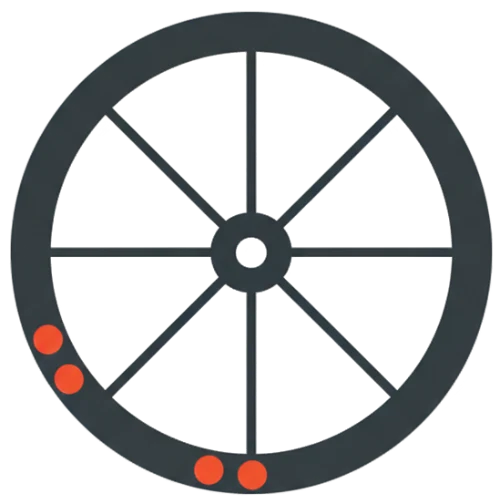
Get the best fixed gear ratio and stop wasting money on tires. Our Skid Patch Calculator shows you how your patches will wear over time and quickly figures out how to make them work for both left- and right-handed people. Today, find the best combination of chainring and cog to make your tires last longer.
Make sure your wedding bar is perfect. Our free calculator figures out how much wine, beer, and liquor you need based on how many guests you have. This saves you money and stress.
Use smart tools made for everyday PDF tasks to get more done. Advanced OCR technology can find text on its own, and you can add legally binding e-signatures in seconds. You can also change scanned files into formats that you can edit. You can organize your documents with easy-to-use drag-and-drop tools, merge and split files on the fly, and password-protect your PDFs—all from your browser. Our tools are designed to be fast, accurate, and easy to use, so you can manage contracts, academic papers, or reports without having to download or install anything.

Yes! There are no hidden costs or subscriptions needed to use any of the tools on Online Tools Mania.
No need to install. All of the tools work right in your web browser, so you don't have to worry about anything.
Of course. Your files are processed either in your browser on your computer or on the server in a safe way. There are no files saved or shared.
Yes. Our tools keep the original quality of your files when you merge, split, or compress them.
The reading time calculator uses a common formula that is based on the average reading speed of an adult, which is usually between 200 and 250 words per minute. The tool gives you an instant estimate of the total read time based on your total word count. This helps you plan your content or study schedule better.
A lot of people want to know, "How long does it take to read 3000 words?" based on how fast people usually read:
For slow readers, it takes about 20 to 30 minutes.
About 12 to 15 minutes for average readers.
People who read quickly: about 7 to 10 minutes. A read time calculator can help you get an exact number based on how hard the text is to read.
The average person can read 1000 words in about 4 to 5 minutes. This is a normal length for articles and blog posts. Our readtime tool can show you exactly how many seconds it takes.
Yes. You can process documents directly with our tool. With our online PDF extract feature, you can quickly get text from PDF files and figure out how long it will take to read without having to copy and paste it yourself.
Putting the estimated read time at the top of your articles makes the User Experience (UX) better. It makes it clear what the visitor should expect, which can lower bounce rates. A read time calculator is a common tool for modern blogs and news sites to use to get this information.